Network design consultation
Planning a home or small-business network before anything is bought or installed.
Read more
Wired Ethernet, patch panels, switching and wireless access points for DFW homes and small businesses. Planned so the network stops being the thing everything else is waiting on, and documented so it can be worked on later.
Who this is for
DFW homes, offices and small commercial buildings
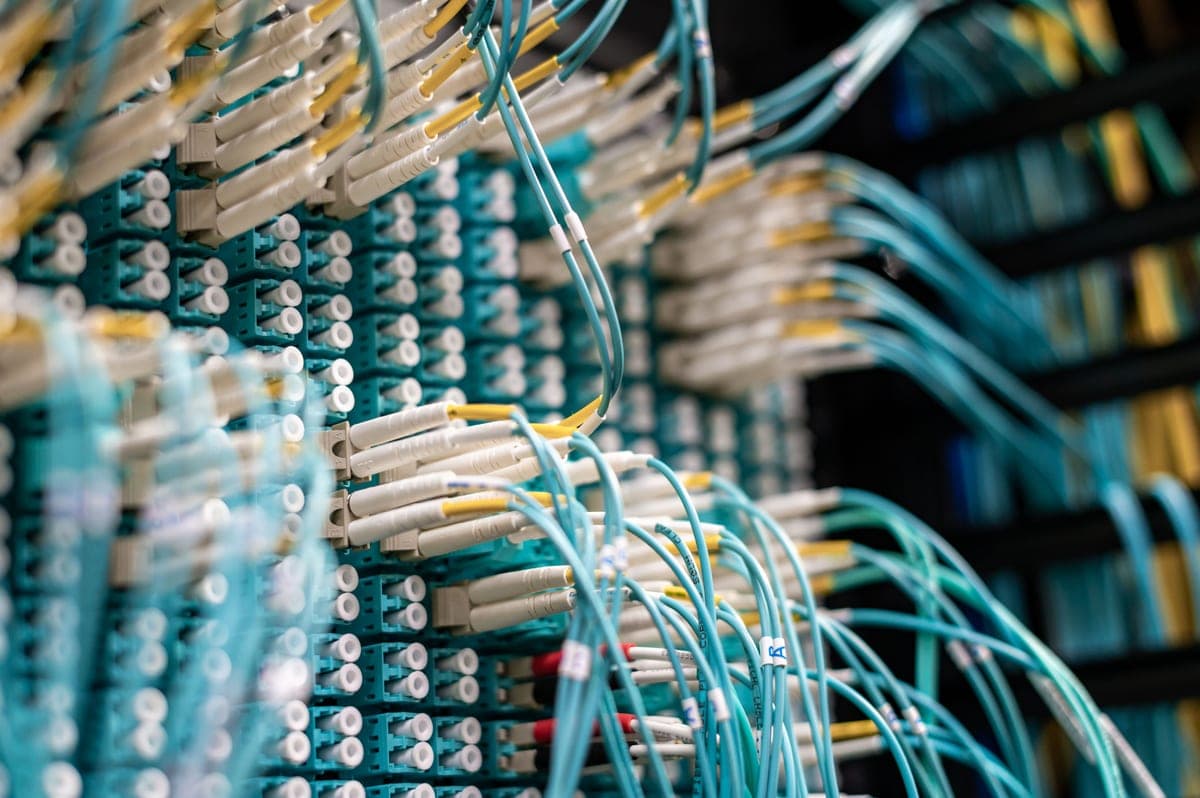
A structured cabling system is one where every outlet in the building runs back to a single central point, each run is terminated on a patch panel, and every run is labeled at both ends and tested. The alternative, which most buildings have, is cable that was run point to point whenever somebody needed something. That works right up until you need to change anything, at which point nobody can tell which cable goes where and the honest answer is to start again.
The payoff is not speed, it is changeability. Moving a desk, adding a camera, swapping a switch or diagnosing one dead port becomes a five-minute job instead of an afternoon of tracing. On a commercial site it is also what lets someone other than the original installer work on the building, which matters more than it sounds.
The practical constraint that shapes almost every network design is that a copper Ethernet channel is limited to 100 meters, about 328 feet, and that figure includes the patch cords at both ends. In practice the permanent in-wall run should stay under about 90 meters.
That sounds generous until you remember cable does not travel in straight lines. A run goes up into the ceiling, along a cable tray, around a structural beam, and back down a wall. A 40-foot straight-line distance is routinely a 90-foot cable. On larger buildings, such as the distribution and office space along the Fort Worth Alliance corridor, the limit is reached quickly and the design answer is an intermediate switch location, or fiber between two comms positions. That is a decision made before the cable is pulled, not after.
The practical rule: the cable is a small part of the cost of pulling it, and the labor is identical either way, so specify the better cable for anything new and long. For a normal office desk drop, Cat6 is genuinely the right answer rather than the cheap one. Existing Cat5e already in the walls will carry gigabit over household distances, so reusing it is often sensible — see the Plano page on builder-installed media panels, which are a common find in 1990s and 2000s homes.
Mesh Wi-Fi is a way of avoiding cable, not a way of improving wireless. Each mesh node talks to the next over the air, and that backhaul traffic spends the same radio airtime your devices need, so throughput falls with every hop. It is the right answer in a building where cable genuinely cannot be run.
Where cable can be run, wired access points win, because every one of them has its full radio capacity available to clients. Two access points with cables beat four mesh nodes in nearly every building. The design question is placement rather than count: an access point in the middle of the space it serves, ideally ceiling-mounted, covers far more than a more powerful one in a corner.
Standards are worth a sanity check when buying. The Wi-Fi Alliance certification program is the authority on what a generation actually supports, and it is a better reference than a box that says “up to” a number.
Power over Ethernet is why a ceiling access point or a soffit camera needs no outlet. The switch supplies power down the same cable that carries the data, in standardized classes. Those classes matter because a switch has a total power budget: a 24-port switch rated at 180 watts cannot run 24 devices drawing 30 watts each, and finding that out after installation is an expensive way to learn it.
Figures are published by the Ethernet Alliance and summarized by Cisco: the original 802.3af standard delivers 15.4 W at the switch with about 12.95 W available at the device, 802.3at raises that to 30 W and 25.5 W, and 802.3bt reaches 60 W and 90 W at the switch for Type 3 and Type 4 respectively. Cameras and access points mostly sit in the first two tiers; the higher ones matter for powered displays, pan-tilt-zoom cameras with heaters, and similar.
Help planning a home or small business network before you buy or install it. The work is deciding what the network has to do, how many wired positions the building needs, where the central equipment should live and where wireless has to reach — the decisions above, applied to your building, while they are still cheap to change.
More on network design consultation.
Setting up and configuring the equipment so it works properly on the network. Routers, switches and wireless access points taken past the settings they shipped with: addressing, wireless settings, the switch and PoE configuration, firmware, and the administrator passwords that defaults never change.
More on network equipment configuration.
No internet service: the circuit from your provider is theirs to deliver and this work starts where it lands. No electrical work needing a new circuit. No server, workstation or software support. No structural work or decorating, though routes are planned to minimize making good. And no quotes without seeing the building, because drop counts and cable routes are the whole cost.
Next: structured cabling in Dallas for commercial work, or home network installation for a house.
The images here are licensed stock photographs chosen to show the kind of equipment involved. They are not photographs of AyalaKi Services’s own installations, and this space is reserved for real job photos once they are available.
Planning a home or small-business network before anything is bought or installed.
Read more
Setting up and configuring the equipment so it works properly on the network.
Read more
Drops, patch panels, labeling and testing for offices and commercial units.
Read more
Wired drops where they matter and wireless coverage that reaches the back of the house.
Read more
PoE cameras live on this network and share its cable paths and switch ports.
Read more
A meeting room that drops calls almost always needs a drop, not a new camera.
Read more
Historic-district constraints to the south, plenum and distance to the north.
Read more
Displays, streaming devices and control all want a cable to the same place.
Read more
Cable pulled during a fit-out costs a fraction of the same work retrofitted. A free site visit settles drop counts and routes.