Setup guide
Small Church Live Stream Setup: A Practical Guide
Build it in this order: audio from the sound desk, one fixed camera, a wired internet connection, then an encoder set to a bitrate your upload can actually hold. A stream built that way can be run by one volunteer every week, which matters more than anything you can buy.
Written by Joe Kiemtore, Owner, AyalaKi Services
The build order, and why
Most churches start a streaming project by shopping for a camera. That is the wrong end, and it is why so many church streams look acceptable and sound bad. The order below is sorted by how much each step improves the result per dollar spent.
- Audio from the sound desk. Usually a cable and a small interface. Biggest improvement available.
- One fixed camera in a position that works every week.
- A wired internet connection to the streaming position.
- An encoder set to a bitrate the connection can hold.
- A platform your congregation already uses.
Only after all five are working reliably is it worth considering a second camera, lyrics on screen, or shot changes, because every one of those adds a second operator.
1. Audio from the desk
A camera’s built-in microphone sits wherever the camera sits, which is usually the back of the room. From there it hears the air conditioning, the people nearby, and the preaching as a distant reflection. No camera upgrade fixes that, because the problem is the microphone’s position, not its quality.
Take a dedicated output from the sound desk instead — on most consoles an auxiliary or matrix send — and feed it to the streaming computer or encoder through a small USB audio interface. You are now hearing exactly the microphones the congregation hears, at a level someone is actively managing.
Two refinements worth knowing. The stream mix is not the room mix: anything loud acoustically in the room, like a drum kit or congregational singing, barely reaches a desk feed, and anything heavily reinforced for the room can dominate the stream. Where your console can give the stream its own send, use it. And a small amount of room ambience mixed in underneath, from a single microphone pointed at the congregation, makes the stream sound like a service rather than a studio recording of one.
2. One fixed camera
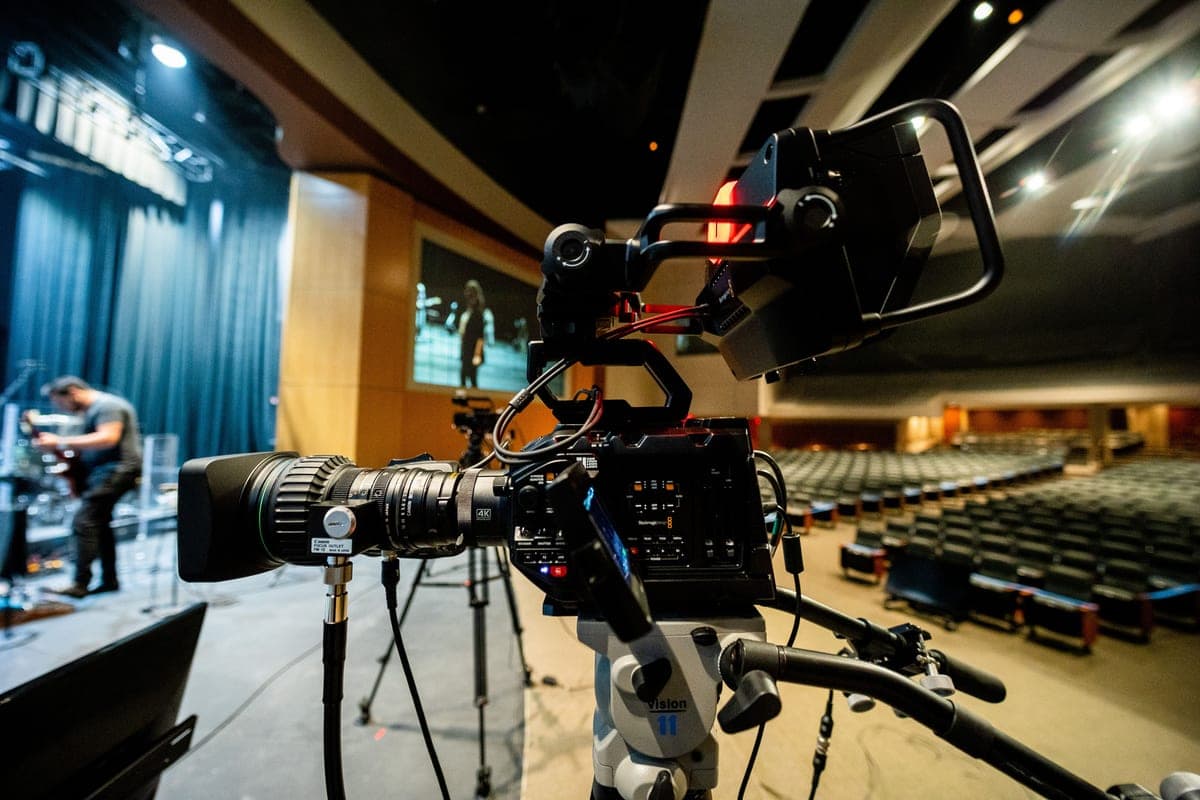
One camera, framed wide enough to hold the whole platform, mounted somewhere it can live permanently. Four criteria, which usually point at the same place: centered on the platform, at roughly the eye level of someone standing on it, far enough back for the shot, and out of the congregation’s sightline. A balcony front or a rear-wall mount normally satisfies all four.
Resist the tight shot. A fixed camera cannot follow anyone, so a frame that is tight on the pulpit loses the speaker the moment they move. A wide shot that always contains the action beats a close one that sometimes does not.
A camera on a tripod in the center aisle works the first week and becomes a weekly negotiation after that. If a tripod is the only option, put it to one side and accept the angle.
3. A wired connection
Run a cable to the streaming position. Building Wi-Fi is shared with every phone in the congregation, and the symptom of a marginal wireless connection is a stream that is fine for twenty minutes and then is not. One Ethernet run removes the most common cause of a mid-service failure.
Then measure what the connection actually delivers upward, at the time of day you stream, not the figure on the bill. Upload is the number that matters and it is usually far lower than download on a consumer connection.
4. Encoder and bitrate
The encoder turns camera and audio into a stream. It can be software on a laptop or a dedicated hardware box; the hardware option is generally more reliable for a volunteer rota because it does one thing and does not receive operating-system updates the night before.
Whichever you use, set the bitrate to something your measured upload can sustain with headroom. YouTube publishes the following for H.264:
The same YouTube live encoder settings documentation recommends a keyframe interval of 2 seconds, not exceeding 4, H.264 video, and AAC audio at 128 Kbps for stereo. Those are the settings to copy rather than to improve on.
The most common self-inflicted problem in church streaming is setting a bitrate the connection cannot hold. The result is not a slightly softer picture; it is dropped frames, stalling, and sometimes the stream ending. Choosing 720p over a marginal 1080p is the better-looking option, not the compromise it feels like.
5. Where to stream
Start where your congregation already is. For most DFW churches that is YouTube or Facebook: both are free to stream to, both handle playback on every device, and both are places people already have accounts. Vimeo and others exist and are reasonable, and an embedded player on the church website is a sensible second step rather than a starting point.
Most encoders can send to more than one destination at once, limited by upload bandwidth, since each destination is another outbound stream. Whatever you choose, record locally at the same time. A local recording survives a network interruption and is the copy worth keeping.
One genuinely useful alternative: if your connection is marginal or the volunteer team is new, record the service and publish it afterwards. The members who cannot attend mostly want to watch the service, not to watch it at exactly 10:30.
The pre-service checklist
Write this on a card and leave it at the streaming position. It is the difference between a rota that works and one that depends on one person.
- Power on the camera, the interface and the encoder.
- Confirm the sound desk output is up and not muted.
- Check the audio meter on the encoder is moving during soundcheck.
- Confirm the camera framing still holds the whole platform.
- Check the connection, and the encoder’s own bitrate readout.
- Start the stream a few minutes early with a holding slide.
- Watch the stream on a phone for the first minute.
- Stop the stream at the end. Confirm the local recording saved.
Step seven is the one people skip and the one that catches almost everything. A stream that is live but silent looks identical to a working one from the encoder’s side.
Music licensing
The item churches most often miss. Performing copyrighted worship music in your building and transmitting it to the public are two different permissions, and streaming normally requires a separate streaming license from the rights organization your church already deals with for song use.
This is not legal advice and the specifics depend on the music you use and the licenses you hold. The point is that it belongs on the checklist, and the time to confirm it is before the first stream rather than after a takedown notice.
When you are ready to have it installed properly, see church live streaming setup, or start with church AV consulting if you are not yet sure whether streaming is the right next step.
Sources
Every figure quoted on this page comes from one of the sources below, and each is linked so you can check it. Where a source is dated, the date is given, because cost figures age.
- Choose live encoder settings, bitrates and resolutions(opens in a new tab)
YouTube Help. Recommended and minimum ingest bitrates by resolution and frame rate, audio bitrate, keyframe interval and supported codecs. Read 2026-10-11.
- Vimeo(opens in a new tab)
Vimeo. Named as an alternative streaming destination. No figures taken from it. Read 2026-10-11.