Conference Room AV Installation in Dallas-Fort Worth
Conference rooms where the people dialing in can hear everyone in the room. That is an audio and network problem far more often than a camera problem, which is where this starts.
- Microphone coverage worked out from table length
- A dedicated wired drop, not shared office Wi-Fi
- Display sized from the furthest seat
- Bring-your-own-laptop or a dedicated room system
Who this is for
DFW offices, coworking spaces and professional firms
Start with audio, not the camera
When somebody says a meeting room “does not work”, they almost never mean the picture. They mean the people on the call keep asking the room to repeat itself. That is a microphone coverage problem and a room acoustics problem, and it is solvable, but not by buying a better camera.
Two mechanisms are at work. The first is distance: a microphone picks up sound that falls off with distance, so a person at the far end of a twelve-foot table arrives at the mic much quieter than the person next to it, and the automatic gain control then pushes up everything including the air conditioning. The second is reflection: a room with glass walls, a hard ceiling and a long table sends every voice to the microphone twice, once directly and once a few milliseconds later off a surface. The brain filters that out in the room. A microphone does not, and the person on the call hears the smeared version.
The implication for a budget is that soft furnishing, an acoustic panel on the right wall and a correctly placed microphone will improve a meeting room more than the same money spent on a camera upgrade.
How many microphones a room needs
The deciding number is the distance from the furthest talker to the nearest microphone, not the number of chairs.
Ceiling microphones are attractive because they keep the table clear, and they are more demanding to get right: they are further from everyone, so the room’s acoustics matter more, and they need a cable route through the ceiling. In a room with a reasonable acoustic they work very well.
The dedicated drop
This is the single most common missing piece in a room that keeps dropping calls, and it is the cheapest thing on this page. A meeting room on shared office Wi-Fi is competing with every laptop and phone in the building for airtime, during exactly the hours everyone is using them. One Cat6 run from the comms position to the room removes that entirely.
If the building is being cabled anyway, the marginal cost of that drop is close to nothing. See structured cabling in Dallas for how the drop count is scoped.
Display size and the furthest seat
Work backward from the person sitting furthest from the screen. For shared content such as documents and slides, a reliable guide is that the furthest viewer should sit no more than about six times the display height away. In a long room that often means a larger display than the budget first assumed, or two displays rather than one.
The second display question is what goes on it. A room showing content and remote participants at the same time either splits one screen, which shrinks both, or uses two displays, which is cleaner and costs more. Deciding that before buying is worth doing, because it changes the mount, the cabling and sometimes the room system.
BYOD rooms versus dedicated room systems
A bring-your-own-device room puts a single cable at the table. A visitor plugs in their laptop and gets the room’s camera, microphone and display, on whatever platform they brought. It is cheaper, works with every meeting service, and needs no license. The downside is that someone has to plug in each time, and cables at a table have a well-documented tendency to wander off.
A dedicated room system is licensed to the room, appears as a bookable resource in your calendar, and joins the scheduled meeting with one tap on a controller. It is better for a room used several times a day by the same organization, and the Zoom room setup page covers that case in detail.
Neither is the right answer in general. A business with one main room used constantly usually wants a dedicated system; a business with three rooms used occasionally by visitors usually wants BYOD in all three.
Rooms that already have equipment
Most rooms that do not work contain hardware that is fine. The usual faults, in rough order of frequency: no dedicated network drop, a microphone in the wrong place or too far from half the table, a reflective wall nobody has treated, a USB cable run further than USB reliably goes, and an input nobody can work out how to select.
All five are diagnosable in one visit, and four of them are cheap. An assessment that ends with “keep the camera and the display, move the microphone, add a drop, treat that wall” is a perfectly legitimate outcome and often the right one.
What is not included
No software licenses: Zoom, Teams and Google Workspace subscriptions are bought directly from the vendor. No IT support for your laptops or identity system. No electrical work requiring a new circuit. No structural work; in a leased multi-tenant building, what can be fixed to walls and run above the ceiling is the landlord’s call and is worth confirming before equipment is ordered. And no furniture.
About the photographs on this page
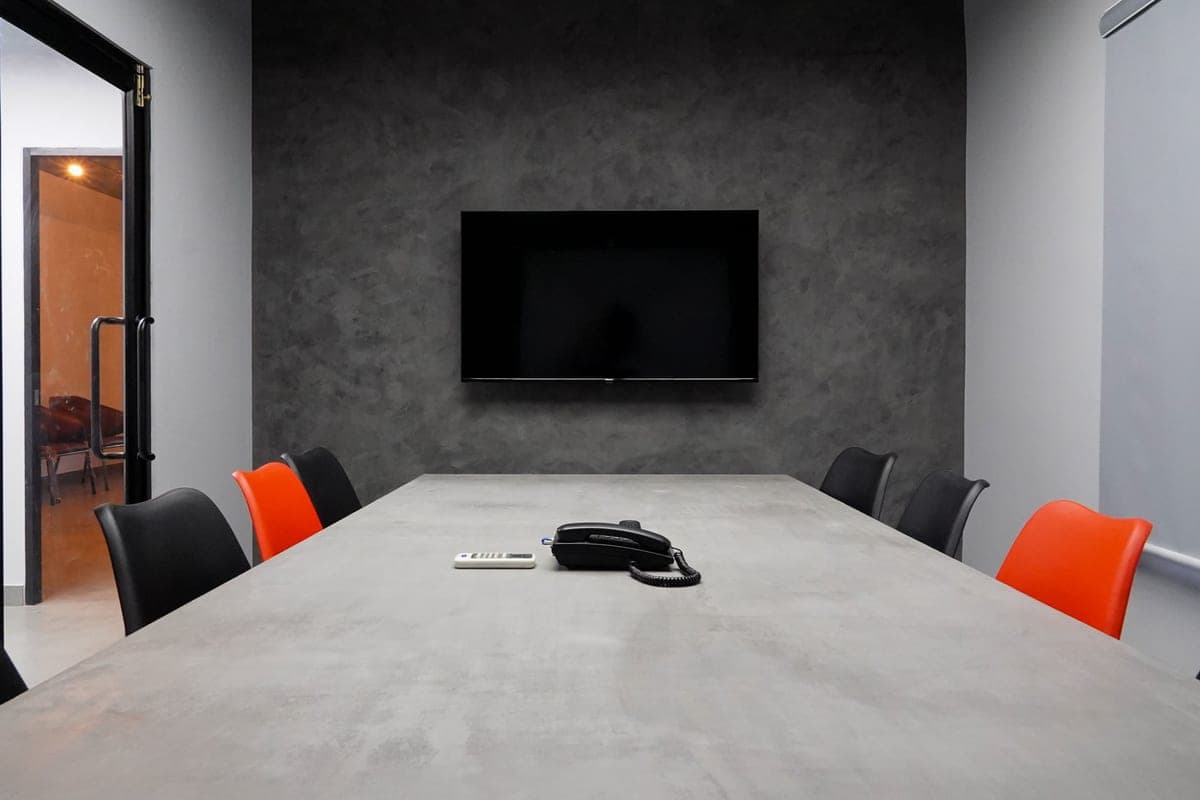
The images here are licensed stock photographs chosen to show the kind of equipment involved. They are not photographs of AyalaKi Services’s own installations, and this space is reserved for real job photos once they are available.
Frequently asked questions
- Why do people on the call say they cannot hear the room?
- Almost always microphone coverage and room acoustics rather than the camera or the display. One microphone at one end of a twelve-foot table cannot pick up the far end at a usable level, and a room with glass walls and a hard ceiling adds reflections that make whatever it does pick up harder to follow. Fixing a hybrid room starts with the audio.
- How many microphones does a conference room need?
- It depends on the distance from the microphone to the furthest talker, not the number of seats. A small four-to-six-person room is usually fine with one well-placed table or bar microphone. A long boardroom table needs multiple units or ceiling microphones so no one is more than a few feet from a pickup.
- Does the room need its own network connection?
- It needs a dedicated wired drop, which is the single most common thing missing from a room that keeps dropping calls. A room sharing Wi-Fi with the whole office competes with every other device for airtime. One Cat6 drop to the codec or room PC removes that whole class of problem.
- Can we keep using our own laptops?
- Yes. A bring-your-own-device room is wired so a single cable at the table gives the laptop the room's camera, microphone and display. It is simpler and cheaper than a dedicated room system, and it works with whichever meeting platform the visitor brought.
- What size display does a meeting room need?
- Work back from the furthest seat. A rough and reliable guide for shared content is that the furthest viewer should sit no more than about six times the display height away. In a long room that often means a larger display than the budget first assumed, or two displays rather than one.
- Do you work on rooms that already have equipment in them?
- Yes, and that is often the better starting point. Many rooms have decent hardware and a solvable problem: a microphone in the wrong place, an untreated reflective wall, a shared network drop, or an input nobody can select. An assessment tells you what is worth keeping.
Related pages
Structured cabling in Dallas
The dedicated drop that removes an entire class of meeting-room problem.
Read more
Event live streaming services
When the meeting becomes an event with an audience beyond the room.
Read more
Audio visual installation
Displays, sound and control for rooms that are not primarily for meetings.
Read more
Network installation
Switching, PoE and wireless design behind the room that has to be reliable.
Read more
Have your meeting room assessed
Many rooms have usable hardware and one solvable problem. A visit tells you what is worth keeping before anything is replaced.