Conference room AV installation
The commercial version, where the hard part is hybrid meeting audio.
Read more
Displays, sound, sources and control, installed so the room works without a drawer of remotes and an instruction sheet. Most of the difference between a good AV job and a frustrating one is in the cabling and the control, not the boxes.
Who this is for
DFW homes, offices, lobbies and multi-purpose rooms
Four parts, in rough order of how much attention they deserve. The sources that feed the system, which is usually a streaming device, a laptop input and possibly a cable box. The display or projector. The sound. And the control layer that chooses between them. People buy the display first and think about the control last, which is exactly backwards: a room where nobody can find the right input has failed even if every component in it is excellent.
The work itself is mostly cabling and mounting. Running power and signal to the display position, getting speaker cable where it needs to go, mounting things level and secure on whatever the wall is actually made of, and then configuring the result so one remote or one tablet runs the room.
Two questions settle most display decisions, and neither is about the brand.
How far away is the furthest viewer? For watching video, a common working guide is a viewing distance of roughly 1.5 to 2.5 times the diagonal of the screen. For reading shared content, such as a spreadsheet or slides, the tighter constraint is that the furthest viewer should be no more than about six times the display height away. Rooms used for both end up sized by the second rule.
How high should it go? Lower than most people mount it. The center of the screen wants to be near seated eye level, which usually puts the bottom edge somewhere around 24 to 30 inches off the floor for a lounge. Mounting a screen above a fireplace is extremely common and is a compromise: it puts the center well above eye level and exposes the electronics to rising heat. It is sometimes the only option, and it is worth knowing it is a trade rather than a default.
The thing worth saying out loud: in a room with hard floors, big glass and no soft furnishing, the room is doing more to the sound than the speakers are. Spending more on speakers in an untreated reflective room produces a louder version of the same problem. That applies at every scale, which is why it is also the first thing covered on the church AV consulting page.
Three cables belong at any new display position: power, HDMI, and a Cat6. The first two are obvious. The Cat6 is the one people skip and later want, because it covers a streaming device that would rather be wired, a control system, and HDMI-over-Ethernet extenders if the equipment ever needs to live somewhere else. Cable is cheap while the wall is open and expensive afterwards.
Concealing it is possible in most construction: an in-wall run from the display down to an equipment position, with the right rated cable and a proper recessed outlet behind the screen. In a converted warehouse with exposed brick and no cavity, or a prewar house with plaster and lath where fishing a wall would do real damage, the honest answer is a surface raceway painted to match. That gets raised before the quote rather than discovered on the day.
The control layer is what someone actually touches. It can be as simple as a single universal remote with activities set up, or an app, or a wall panel. The right level is the one the people using the room will actually use, which is usually simpler than the one that demos best.
What matters more than the hardware is the configuration: inputs named in plain language rather than “HDMI 2”, the right source selected automatically when a device turns on, volume mapped to the right thing, and a single button that puts the room back to normal when somebody has changed everything. That configuration is part of the job here, not an extra, and the handover includes walking through it with whoever uses the room.
No electrical work requiring a new circuit; where a display position needs power added, that is a licensed electrician. No structural work, and no mounting onto a wall that cannot safely take the load, which is checked before anything goes up. No decorating or drywall finishing beyond making good the penetrations agreed in advance. No subscription services or content accounts, though existing accounts get set up on the devices as part of handover.
If the room is for meetings rather than watching, start with conference room AV installation. If it is a sanctuary, start with church AV consulting.
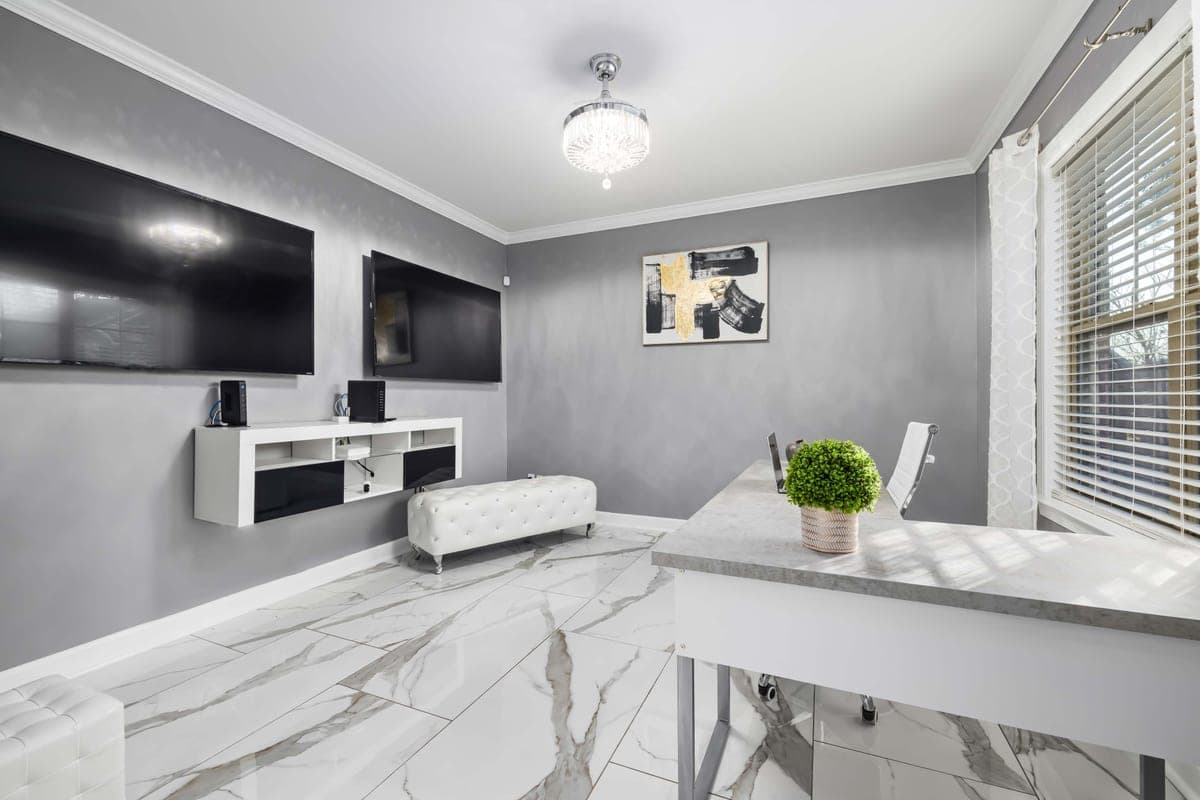
The images here are licensed stock photographs chosen to show the kind of equipment involved. They are not photographs of AyalaKi Services’s own installations, and this space is reserved for real job photos once they are available.
The commercial version, where the hard part is hybrid meeting audio.
Read more
Sanctuaries have their own constraints, starting with who operates the system.
Read more
Streaming devices, control systems and HDMI extenders all want a cable.
Read more
A display position without a network drop is a display position you will revisit.
Read more
What prewar plaster and open-deck conversions mean for concealing cable.
Read more
Where the cable can run usually decides where the screen can go. A free site visit settles that first.